

Demo Blog

Welcome to the demo blog. You can customize (or remove) this section in the _index.md file in the blog folder. You can read about how to organize content in Hugo in the official docs.

The posts below are in the same folder (blog/) and can be in the supported formats by hugo (Markdown, HTML, Emacs Org Mode, AsciiDoc, Pandoc, or reStructuredText).

You can use translations as well.

Create your own version of the site

This article is a guide to help you create your own version of the site using Adritian. It will cover the main steps to get started with the theme, and how to customize it to your needs. Creating a site This theme is for the content management system Hugo, so that will be a pre-requirement. Make sure that you install the extended version of Hugo, as the theme uses SCSS for styling, as well as image optimization.

Continue reading...

Create your own version of the site

How to Add Custom Icons to the Adritian Theme

Feb 28, 2025
How to Add Custom Icons to the Adritian Theme Table of Contents Prerequisites Overview Step 1: Export Current …
Continue reading
How to Add Custom Icons to the Adritian Theme

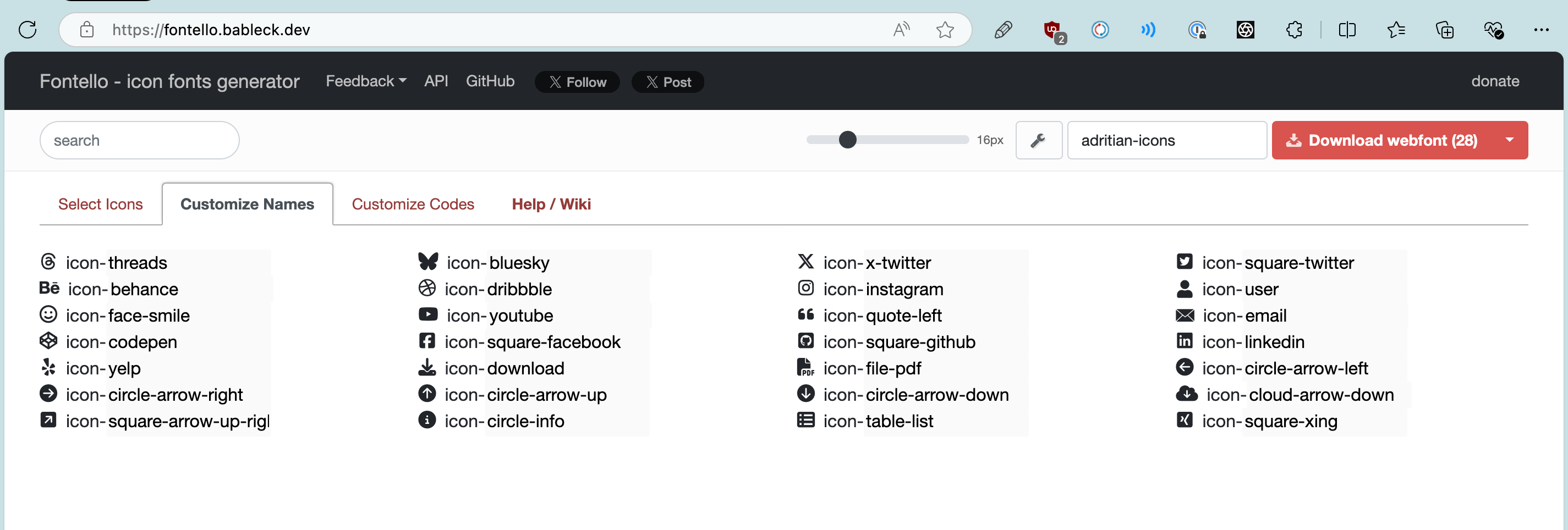
Icons

Feb 28, 2025
The theme has multiple icons available for use. You can see them rendered here: threads bluesky x-twitter email user …
Continue reading
Icons

Search improvements: multilingual, reliable, and configurable

The search functionality in the theme is powered by Fuse.js and runs entirely in the browser. This post explains how it works, how the search index is built, and how to customize it for multilingual and subdirectory deployments.

How search works

Search is client-side:

  1. Hugo generates a JSON index (index.json) that contains the title, plain content, tags, categories, and other metadata for each page.
  2. The search page loads fuse.js and downloads the JSON index.
  3. Fuse.js performs a fast in-browser search and renders the results.

Because the index is a normal Hugo output, it follows your baseURL and language configuration automatically.

Responsive Images

The Adritian theme includes a responsive-image shortcode that generates optimized <picture> elements with WebP conversion, multiple srcset widths, and lazy loading.

Basic usage

Place your images in the assets/ directory and reference them with the shortcode:

Sample responsive image

The shortcode above produces a <picture> element with:

  • WebP srcset at 400w, 800w, and 1200w (up to the original image width)
  • Original format srcset at the same widths
  • Lazy loading via loading="lazy" and decoding="async"
  • CLS prevention via width and height attributes

Custom sizes hint

Use the sizes parameter to give the browser a layout hint for which srcset entry to pick: